In this quarterly tech release, we’re excited to announce a new update for publishers: revamped Indiegraf Blocks! These are a set of very unique blocks designed to enhance the publishing experience. Here are the improvements we’ve been working on over the past few months and tips on how to make the most out of Indiegraf Blocks.
✨ What’s new:
Indiegraf Blocks are easier to find
Now, they appear first in the Blocks list. They will all have icons and a preview. Keep reading below to learn more about cool custom content blocks developed with news publishers in mind.

Updated technology
Indiegraf Blocks were completely rebuilt to follow the latest block development best practices. We also replaced components that are no longer supported.
Easier homepage management
The options settings for the Featured Post and Latest Post blocks have been restructured. This allows publishers to easily configure what post listings will look like on the homepage. Publishers can select which categories to display on each block — or leave all categories unchecked to display all posts from all categories!

📌 Recap: Some cool blocks that we’ve developed
Indiegraf Pay pricing table
Now, publishers can easily add a pricing table to any page or post. For example, the pricing table can be included in a campaign story at the end or anywhere in the post just like any other block.

Accordion Block
Great for FAQs and often present on your Support Us page. You can use it on any page or post, and control the background and text colors.

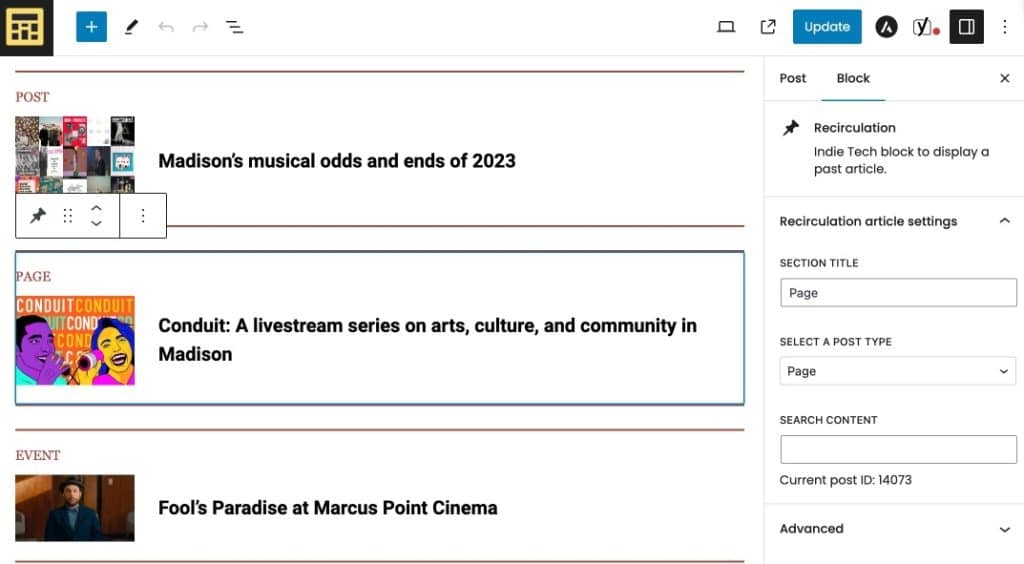
Recirculation Block
This block allows publishers to add one article at any point within a post. It’s designed to display evergreen content while engaging readers to continue navigating inside the website. It also supports Event Post Type and Pages.
User List Block
Now, publishers can easily update the Team page without worrying about alignments and different elements. This block gathers information from the User profile fields, where publishers can set and update a user’s title, profile image, bio and social links.

🐞 Bug fixes:
- The Featured Post Block can now display a high resolution featured image on the homepage.
- The Latest Post Block is no longer displaying posts from random categories when the categories have less than five posts
- The Latest Post Block can save the category selection.
- The Latest Post Block no longer skips the last three published articles.